Make sure you are logged into the google account you use to manage your profile. Then click on the 9 dots next to your profile circle image in the upper right corner:
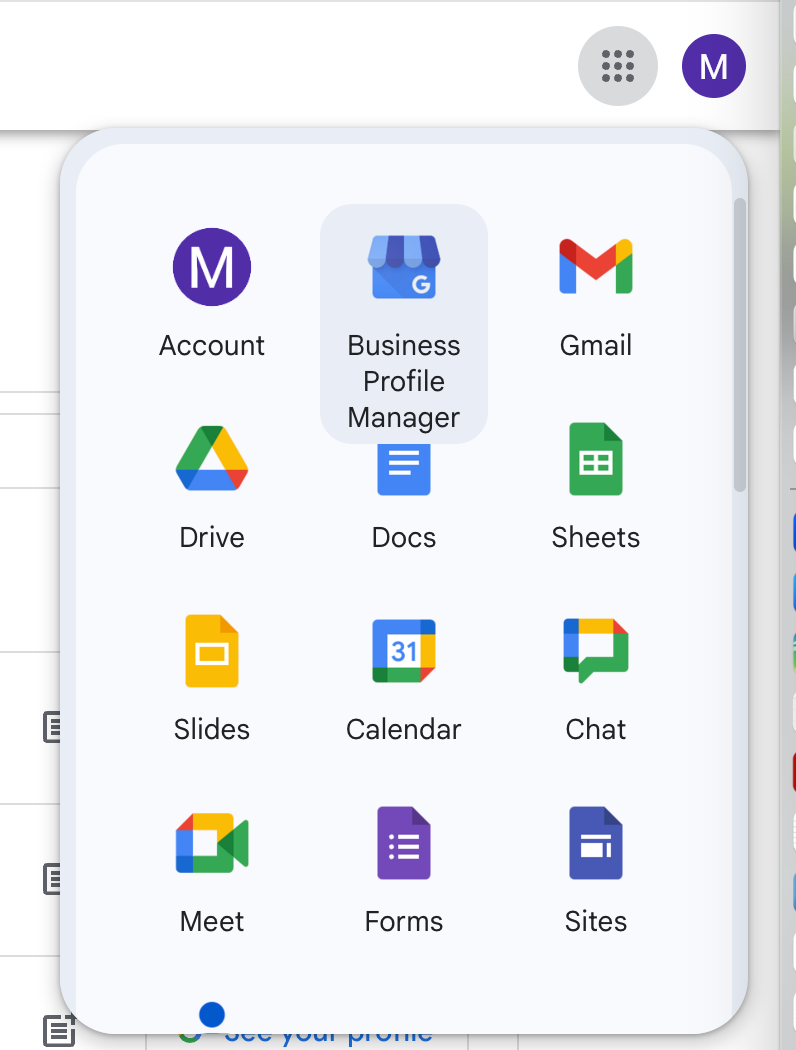
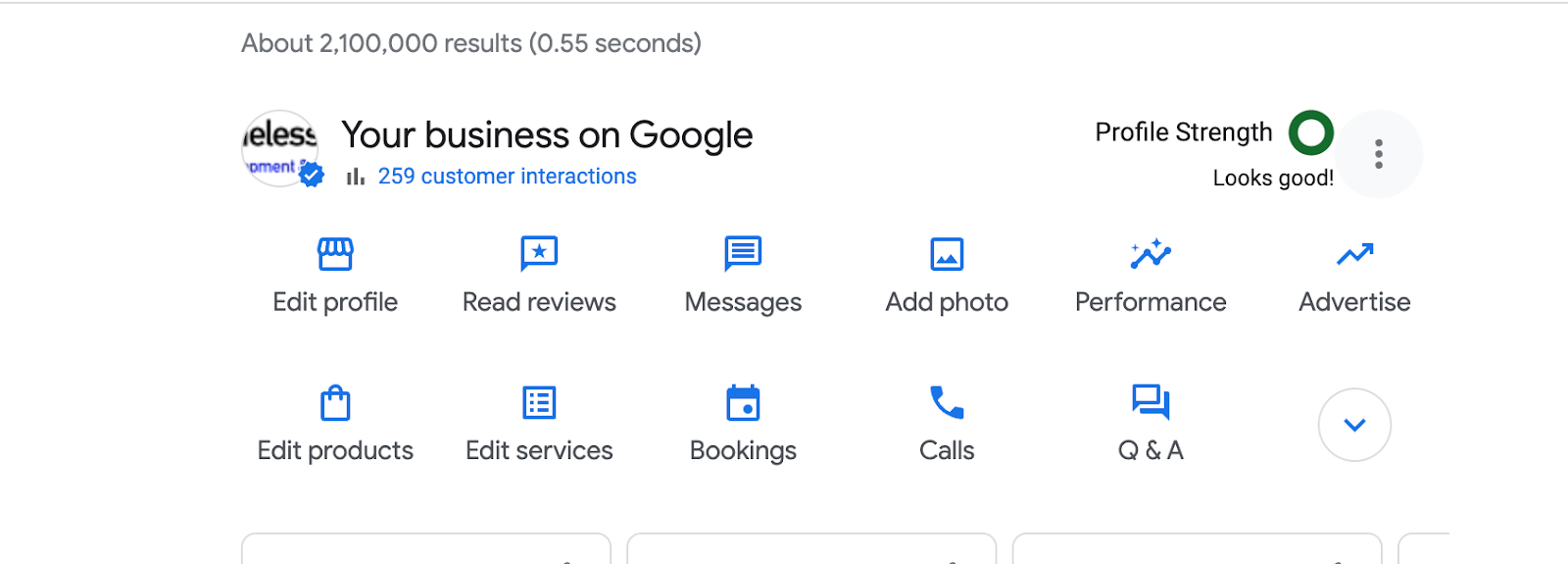
Click the see your profile button:

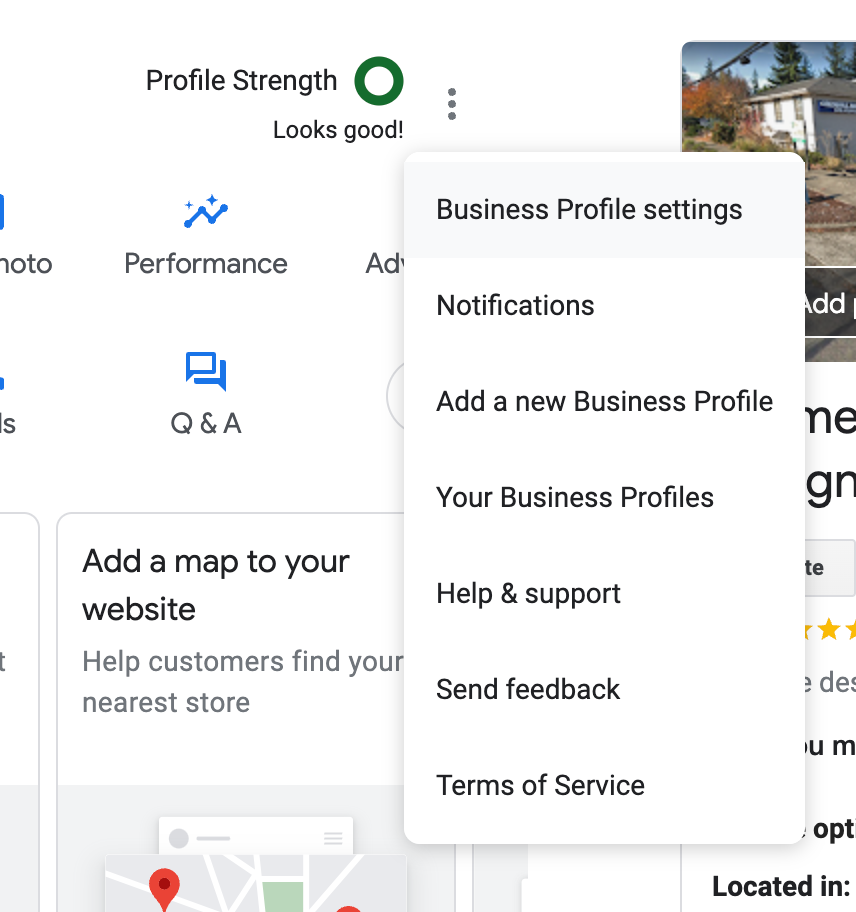
Then click the three dots near your profile strength in the upper right corner and then choose Business Profile settings.
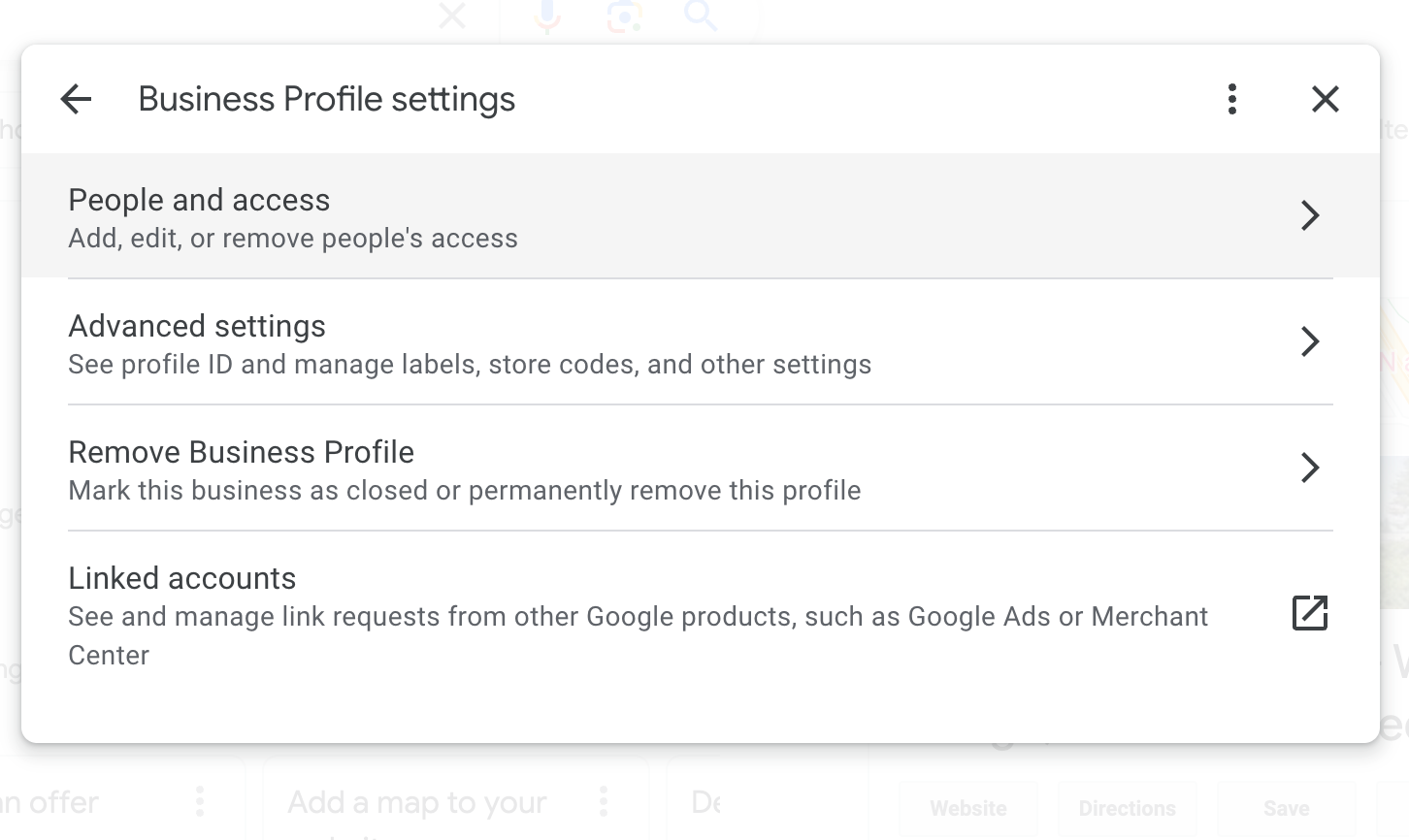
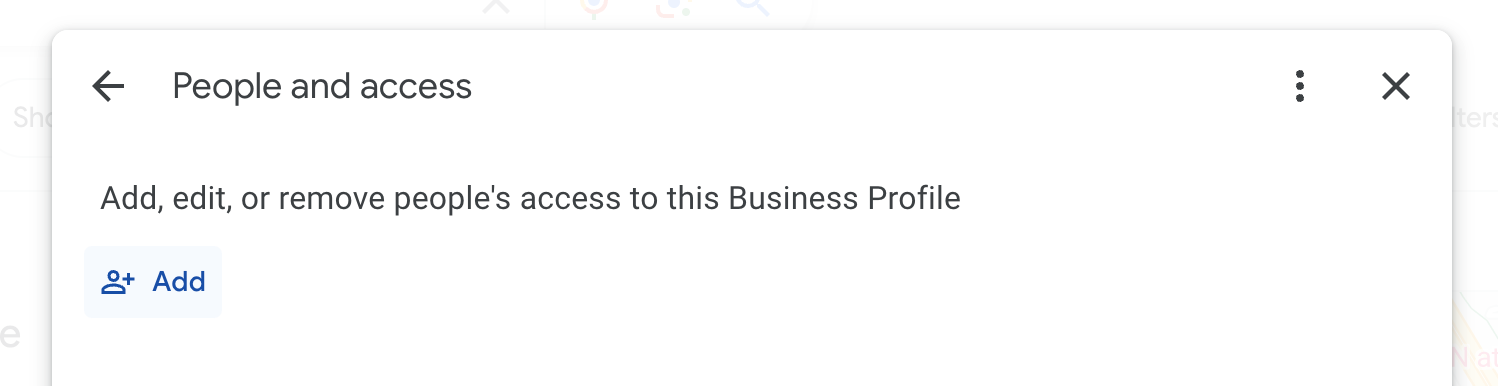
Then choose People and access:
Then click the add button:
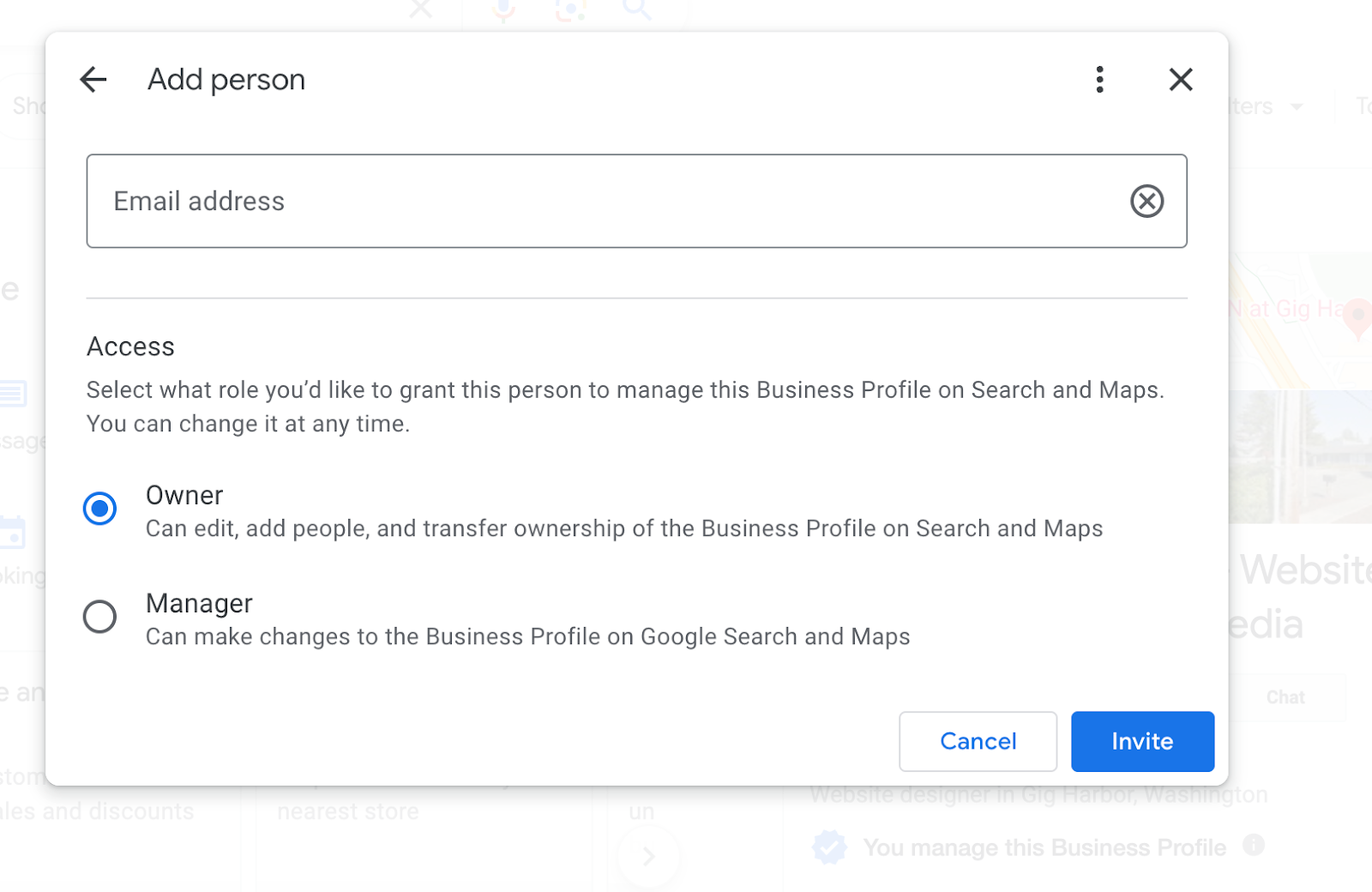
Please provide access to marketing@shamelesspromotion.com. Manager access will cover most work we will need to do.
Was this article helpful?
That’s Great!
Thank you for your feedback
Sorry! We couldn't be helpful
Thank you for your feedback
Feedback sent
We appreciate your effort and will try to fix the article